Research & Working Skills
A collection of skills for research and everyday work. Selected skills are available on GitHub.
Project links
arXiv
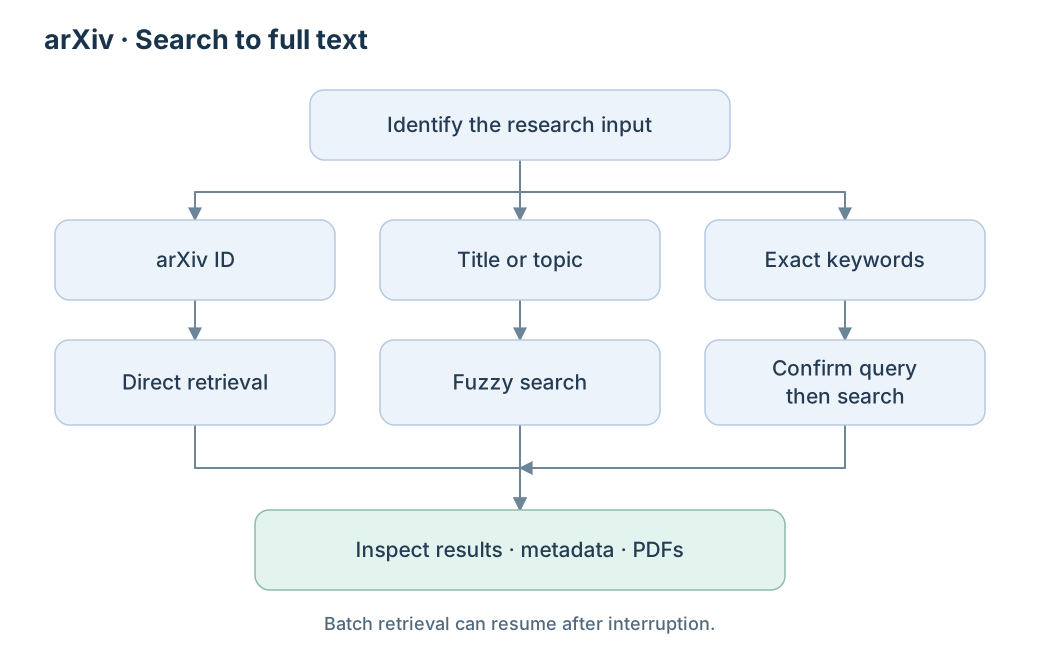
Find papers by title, topic, exact keywords, or arXiv ID, then retrieve metadata and PDFs. Keyword searches use an explicit query-confirmation step; batch retrieval supports resuming interrupted work.
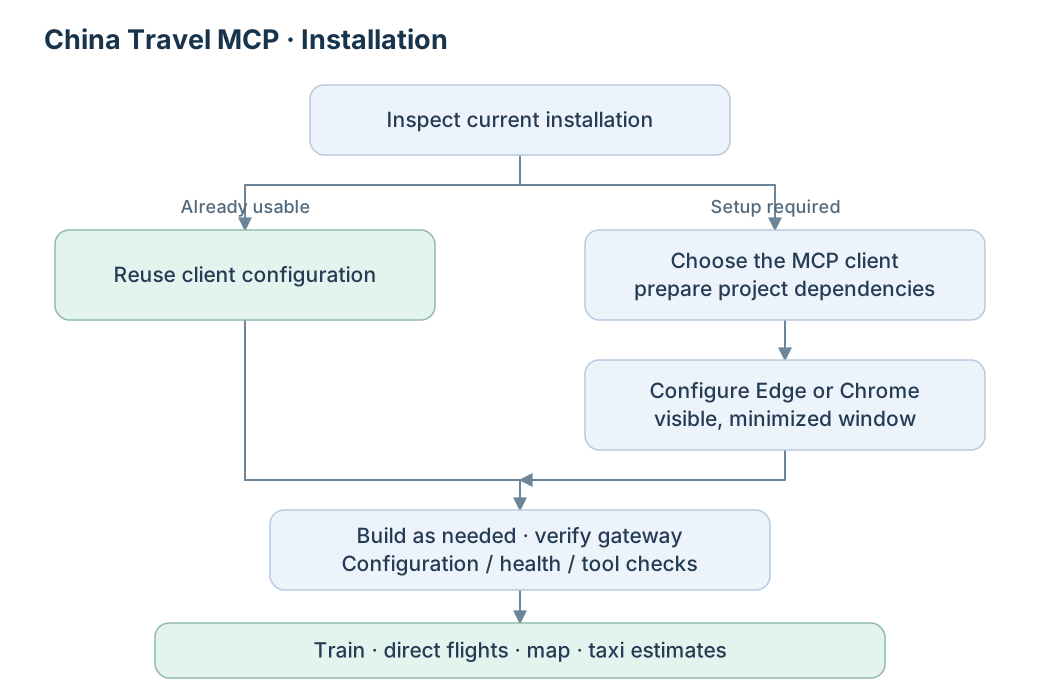
China Travel MCP Installation
Prepare China-Travel-Planning-MCPs-All-in-One for an agent: check an existing installation, configure the chosen MCP client and local dependencies, then verify train, flight, map, and taxi capabilities.
Google Scholar
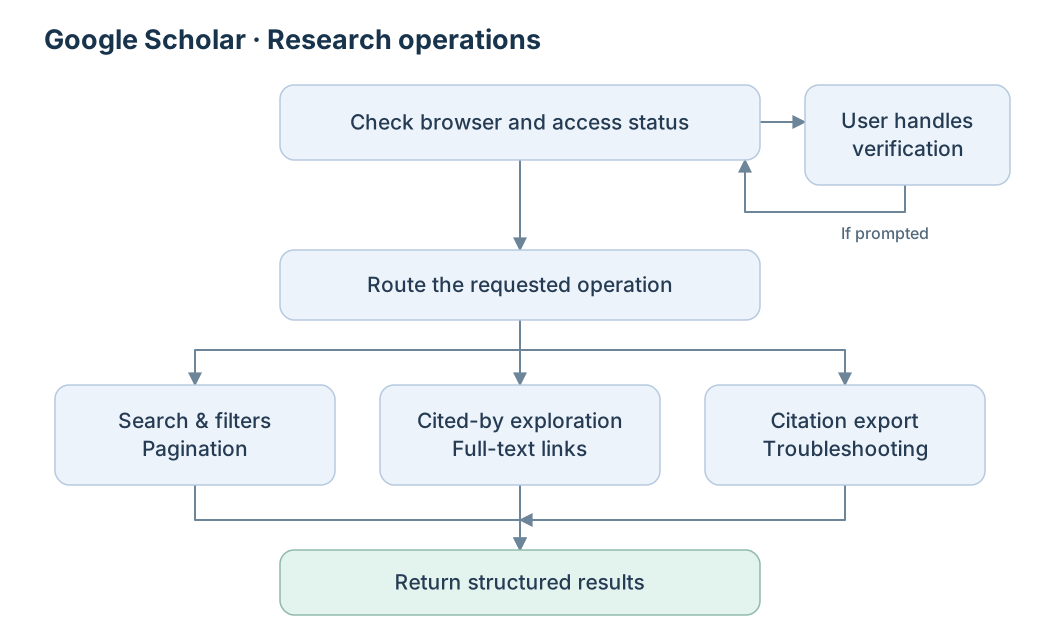
A coordinated workflow for paper search, advanced filters, cited-by exploration, pagination, full-text links, citation export, and troubleshooting. Browser and access checks precede the relevant operation.
Literature Review
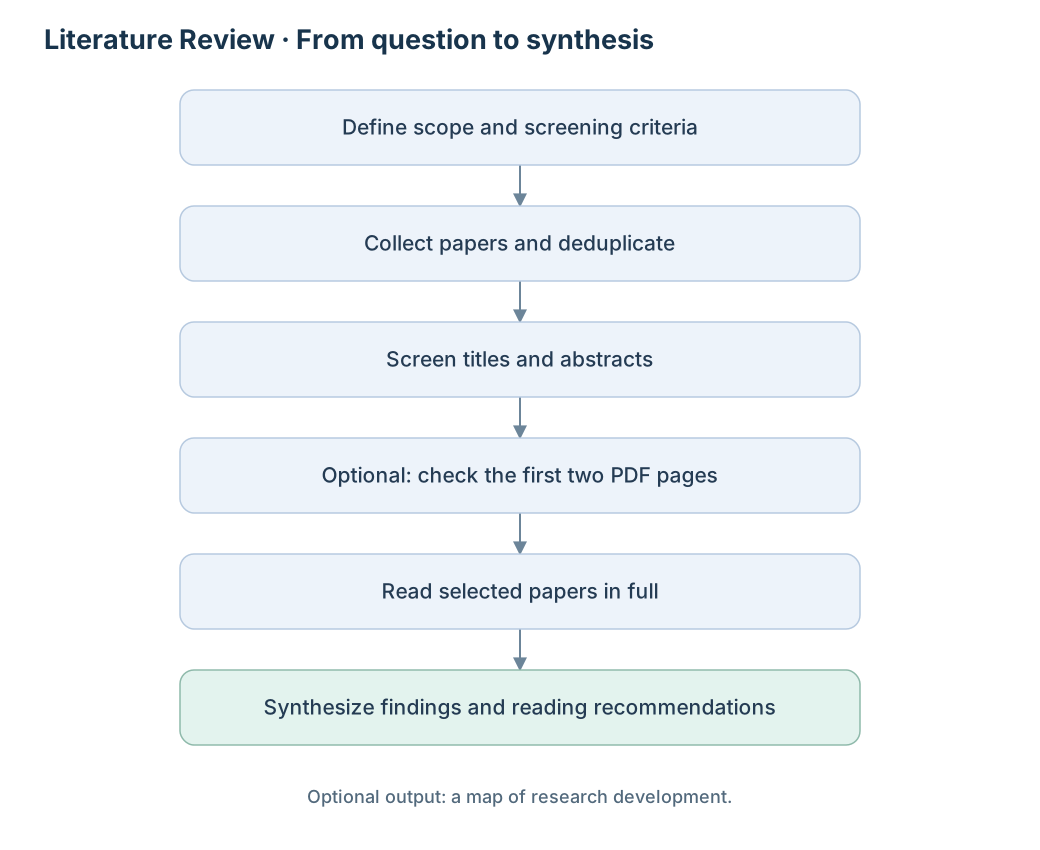
Turn a research question into a staged literature review: collect and deduplicate papers, screen titles and abstracts, optionally check the first two PDF pages, read selected papers in full, then synthesize a report and reading recommendations.
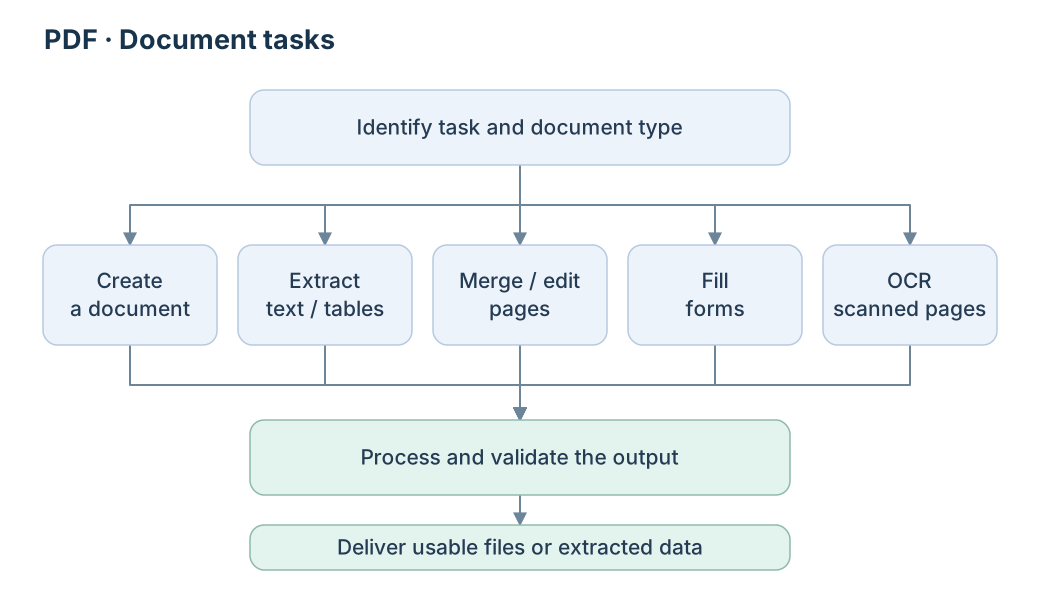
A practical PDF workflow for creating documents, extracting text and tables, merging or editing pages, filling forms, and making scanned pages searchable with OCR. Validate the output against the original task.
Xiaohongshu · Chrome DevTools
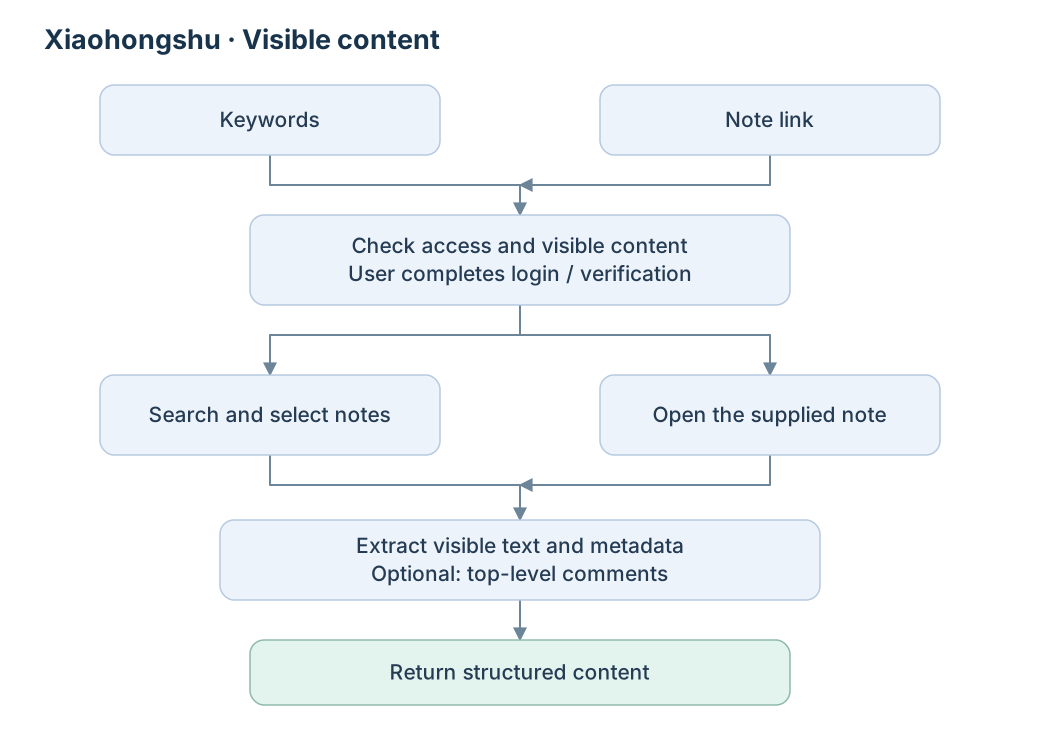
Search notes or open a supplied link, then extract visible text and metadata through the browser. Top-level comments are optional; login or verification prompts require user interaction before continuing.